Yeh Friends Today I am here with a new amazing trick. no need any hack just install a simple update and that's it your dedicated graphic will get tweak.
Things to learn.
Q .1 What is a dedicated graphic ?
Ans: Dedicated graphics means that there is a graphics chip that has access
to its own video RAM separate from the general computer RAM.
So video information should be handled by the dedicated graphics and not the processor freeing the processor up for other tasks.
In relation to your memory amount it could only be displaying how much
of RAM is free to use due to other windows being open etc...
Q.2 What is shared memory ?
Ans:Shared or integrated graphics cards use your system memory (RAM) for
video processing. So, if you have 1gb of RAM and you have an integrated
256mb graphics card, then it will be using 256mb out of your 1 gb when
running video and this will slow down your pc.
READ THIS BEFORE DOWNLOAD
Only The Listed Graphic Card Or Chipset Are Supported
Intel® 82945G Express Chipset
Intel® 82946GZ Graphics Controller
Intel® 82G965 Graphics and Memory Controller Hub (GMCH)
Intel® 82Q963 Graphics and Memory Controller Hub (GMCH)
Intel® 82Q965 Graphics and Memory Controller Hub (GMCH)
These things can take time, but at last this generation of graphics cards has been pretty much finalised. AMD did its part early on, having almost its entire lineup sorted before the summer, while Nvidia has been dragging its heels like a schoolboy who's forgotten his homework. The release of the GTX 650 Ti, though, marks the completion of this generation of cards, and despite the fact it's taken nearly an entire year to get to this stage, things have never looked so good for the consumer. It's somewhat inevitable that every generation offers more power for less cash than ever before, but it's still surprising that a card you can buy for less than £100 will be able to deliver more than 30fps on average at full HD resolutions in the latest DX11 titles. It's strange, then, that people are calling these the end times for the discrete graphics card, what with all the advances in integrated CPU graphics performance. For the end user though, us PC gamers, our rigs have never looked so sprightly. Why now's the time to go SSD Being able to pick up mid-range cards with the sort of performance the high-end cards of the past few years could only wish for, is making our gaming experience the envy of the slavering console hordes. Just look at the gaming shows of the past year, GamesCom and E3 especially. All the best-looking titles were being demoed on high-end PCs. Why? Because there's no way to get the games looking as good on the current generation of consoles. With the next generation of those limited tech bricks not arriving until the tail-end of 2013, the PC has an entire year of even greater gaming dominance. And by then, chances are it's still going to hold the technological gaming advantage. But what of right now? Who are the winners and losers in the great graphics arms race? We've lined up the full range of gaming-capable graphics cards of this generation and we'll tell you where the smart upgrade money should go. 2012 was a rather strange year in terms of graphics card releases. It all kicked off in a rather bizarre way just before Christmas 2011 when AMD 'launched' its HD 7970 - despite only actually having stock in January. We could have understood AMD's desire to get the card in front of the tech press before Christmas if Nvidia was likely to have its brand new card out soon after, but the green team was a long way behind with its new GPUs - but we'll get back to that later. Still, the new top-end card arrived and it was - somewhat inevitably given the lack of Nvidia competition - the fastest GPU around. But it was a brand new GPU architecture, in a year when AMD had also released a new CPU architecture with limited success. That new architecture represented a strange flip in terms of the focus of each side's graphics card design. Rather than looking to continue with its standard, one-trick method of hitting gaming frame rates, AMD was now, with the Graphics Core Next chips, focusing on nailing compute performance. That had been Nvidia's route with the previous generation Fermi cards and now AMD was creating a very similar architecture to cope with the graphics engines of the day. And then in March, Nvidia dropped the K bomb: Kepler hit the streets with the GTX 680. It's new 28nm architecture had almost switched sides with AMD - the Kepler GPUs focused more on raw graphics performance than the general compute-focused Fermi cards that came before it.
Where's my compute?
AMD's Graphics Core Next is just about the top GPU around
Nvidia has left a lot of the compute power out of the consumer-focused cards then, preferring instead to jam the extra silicon necessary for such general-purpose calculations into the Tesla series of professional cards. That space-saving silicon design means the top consumer Kepler chip is an incredibly power-efficient graphics processor, with a TDP of just 195W compared to the 250W TDP of the competing Radeon HD 7970. Nvidia's Kepler GPU also introduced the Intel-aping GPU Boost, which dynamically ramps the GPU clock speed depending on the power usage and thermal envelope. Now it was AMD's turn to play catch-up as it introduced the PowerTune Technology with Boost - which more or less did the same thing for its GPUs - later in the summer. In terms of raw graphics performance, the top two tiers of graphics cards - GTX 670/680 and HD 7950/HD 7970 - are much of a muchness, trading performance leads in different game benchmarks. At the top, then, it pretty much comes down to which card's feature-set you prefer and which plays best with your favourite games. Things have become a lot less equitable in the lower echelons of the graphics card market. While AMD had released its full HD 7900, HD 7800 and HD 7700 series of cards into the wild by the end of March, Nvidia would take another seven months to actually flesh out its Kepler lineup. That meant AMD could keep its prices high while it was the only new kid on the block, and then take an axe to its GPUs' price tags when Nvidia's rival cards finally touched down. We will probably never know the real reason for Nvidia's tardiness on its lower-end cards, but rumour has it that low silicon yields on its 28nm process had something to do with it. The GK110 may well find its way onto a desktop near you
Nvidia just claimed to be waiting for the wealth of big games titles coming out at the end of the year. Whatever the truth of it, AMD is winning the price battle, and has better cards available at every price-point in the sub-£250 market. One of the big problems, though, is the fact there are few games out there at the moment that will really tax a modern GPU. If you've bought a card in the past couple of years and are still sitting on a native resolution of 1,920 x 1,080, or lower, then there's really not a compelling reason to upgrade. Chances are you'll still be hitting reasonable frame rates in the latest games and that means the upgrade market is a little flat. If you are looking for a new graphics card, though, there has never been a better time to make the move because you can pick up an inordinate amount of pixel-pushing power for very little cash these days. But are you still going to need a graphics card in your next PC? Both AMD and Intel are making great strides in the integrated graphics market with future generations of chips. AMD, though, is segmenting things, leaving its top consumer chips, the FX range without any graphics on die. Intel, on the other hand, is resolutely sticking its iGPUs in every chip it throws out, bar the crazy £800+ Sandy Bridge E side. Discrete days numbered Nvidia's GTX 680 represented a change in focus to perf/Watt
With the processor upgrade to Haswell next year, Intel is predicting a doubling of its graphics performance in Ivy Bridge. In terms of gaming on the desktop that still isn't going to give you the frames per second you'll need to get the most out of Star Citizen, but on the mobile side it's talking up the capabilities of the GT3E Haswell graphics. Speaking to the graphics guys at IDF this year, Intel seems to think it will be making dedicated gaming laptops without dedicated graphics cards a reality in the next generation. With the next generation of AMD's APUs looking to include the proper Graphics Core Next architecture as the GPU component, its new lineup could also make things sticky for the dedicated graphics side. With no concrete news yet of Nvidia's Project Denver - it's own ARM-based gaming CPU with a full-fat GeForce graphics part - the green side of the graphics war is looking a little ill-equipped for the coming battle - at least on the PC. AMD re-wrote its own rule book on GPU make up
The next generation of both AMD and Nvidia graphics cards will simply be building on the advances of their respective first 28nm parts, so we don't expect a lot of particularly interesting new tech next year, just a little faster and a little more efficient. So that makes this generation even more interesting. These cards will consistently drop in price up to the launch of the slight upgrades of the HD 8000 and GTX 700 series of cards, and with the next generation of consoles not arriving until the tail end of next year, right now this is all the card most of us need. But which one is best for you? Let me show you…
1. EVGA GTX 680 Signature 2
The GTX 680 is still an impressive piece of technical engineering this far down the line. Released back in March, Nvidia's current flagship card is still at the top of the graphics tree, duking it out with AMD's HD 7970 for GPU supremacy. That's impressive given the fact that its GK104 is a far simpler bit of silicon compared to the Tahiti XT behemoth in the AMD card. The GK104 is a 3.5bn transistor chip verses the 4.3bn transistor Tahiti XT core, and as such is smaller and more power efficient. That's quite a change compared to the Fermi generation where the top GTX 480 and GTX 580 housed massive, power-hungry GPUs chock-full of CUDA cores and SM units. 2. Sapphire HD 7970 GHz Edition Vapor-X
The HD 7970 GHz Edition is the fastest consumer graphics card, and the best news is it's not the most expensive. When Nvidia released the GTX 680, AMD was able to counter with the upgraded GHz Edition of its HD 7970, upping the clockspeed to cope with the new kid on the block and retain its top-GPU crown. This is the card to get if you're powering a hi-res screen or three. It's got the graphics processing chops to run pretty much any game at 2,560 x 1,600, on the highest settings, without batting a silicon eyelid. It may only be a little faster than the GTX 680 in most tests, but in the compute-heavy titles, such as the lighting-intensive DiRT Showdown, it has a clear lead. 3. Asus GTX 670 Direct CU II
Featuring an only slightly cut-down GK104 GPU compared to the top-end GTX 680, we were big fans of the GTX 670 when it first tipped up. It was only a little slower than the top GeForce card and was much cheaper. It also had a performance lead on the HD 7950 and was on par with the original HD 7970. Time hasn't been kind to the GTX 670 though and with prices staying relatively high since launch, its relevance has diminished. The new GHz Edition of the HD 7970 put it out in front of both top Kepler cards and the Catalyst driver optimisations, and more compute-oriented game engines have made the HD 7950 a rather tantalising prospect in comparison. 4. Asus HD 7950 Direct CU II
There's a tremendous sense of value when you get this Asus version of AMD's HD 7950 out of the box. It really is rather massive. The triple-slot cooling array, means that you're going to have to think long and hard about whether you've got enough space inside your PC chassis to house such a behemoth of a card. That said it's not a bad little performer, especially at this price point. AMD has managed to be incredibly aggressive on pricing as new Nvidia-shaped competitors have hit the streets, and to have this sort of performance for much less than £300 is impressive. This card swaps performance leads with the more expensive GTX 670 across our benchmarking suite, showing that it has the chops at both hi-res and in the more compute-oriented games/lighting engines we've started to come across. 5. EVGA GTX 660 Ti Superclocked
When we first saw the GTX 660 Ti from EVGA it was hovering around the £260 - £270 price mark and was then bumping heads with the HD 7950 and that was a battle it was never going to win. Unlike a lot of the other Nvidia cards, though, this has had a little price cut in recent times. Now it's available for just under £230 and that makes it much more of an interesting proposition. At this price it's smack bang in the middle of the HD 7950 and HD 7870, and in performance terms too that's exactly where it ought to be. Broadly speaking it's a quicker card than the HD 7870, even the overclocked Gigabyte version we're looking at in this test. There are a couple of instances where it suffers by comparison, but then only very slightly. Interestingly it's actually quicker than the HD 7870 in the traditionally AMD-centric DiRT Showdown. 6. Gigabyte Radeon HD 7870 OC Edition
When the HD 7870 first tipped up in March we weren't that fussed about it. Sure, it delivered decent numbers in the benchmarks, but at about £260 it was way overpriced and left us feeling rather cool towards this mid-range Radeon card. Thanks to Nvidia finally getting its act together with its own mid-range cards, AMD has started aggressively pricing and now the HD 7870s, and even this overclocked edition, are sitting below the £200 mark. At this price there really isn't anything Nvidia can do to compete. Now the GTX 660 Ti's prices have come down, though, it does represent a little more competition for AMD's mid-range master. Still, the Pitcairn XT is pretty much all the GPU you need for your 1080p screen - it will throw polygons around at impressive speeds in any game you care to throw at it. 7. EVGA GTX 660 Superclocked
When Nvidia finally got the GTX 660 out of the door it was all set to go head-to-head with AMD's HD 7850. And that would have been completely right - both offer similar performance figures. Among the Nvidia-favouring titles it does better, and vice versa with the AMD-centric games. Had the situation stayed static then Nvidia's cards would've had their own place in the world. Yay. But AMD held its pricing at a level before Nvidia's mid-range hit the streets and thanks to its cards being out for a good while longer, AMD's been able to slash its price tags. That means the straight GTX 660 is now going up against the vanilla HD 7870. Despite the overclocked nature of this EVGA card, it still can't beat the stock-clocked Radeon. Even on the Nvidia-sponsored games, like Max Payne 3, it's second best to the current mid-range king. 8. Sapphire Radeon HD 7850 2GB
The performance of the HD 7850 when it first came out, combined with its relatively low price tag, made for a very enticing mid-range card. That impressive start has only gotten better as time has moved on and the price has dropped ever lower. Once it dropped below £200 it was hard to really recommend anyone with a 1080p screen spending more. Now it's sub-£200 graphics card crown has slipped as its HD 7870 big brother has usurped the HD 7850's place by making itself a whole lot cheaper than it used to be. Still, at £150 you'd surely expect us to still be pretty taken with the HD 7850. And while it's still a great mid-range card, there has been one other sibling to make us take a second look. And that's the 1GB version of this GPU. You might expect the extra gigabyte of graphics memory to push this graphics card significantly ahead in the high-res benchmarks - but you'd be wrong. 9. Zotac GTX 650 Ti AMP!
So, you thought things looked bad for the HD 7850 in standard 2GB trim when the 1GB version came out, but spare a thought for the poor ol' GTX 650 Ti. Bless its little silicon socks, it's really trying. Throwing off the shackles of the GK107 GPU, Nvidia decided to lumber the standard GTX 650 with this Ti version, which is rocking the same pumped-up pixel-pusher as the GTX 660. That means it's actually much more of a reasonable gamer's graphics card than the standard version. Were it simply going head-to-head with an equivalently priced HD 7770 then it would have beaten the AMD card hands down. Sadly it's all shifted around and this AMP! edition of the GTX 650 Ti sits in between the 1GB and 2GB versions of the HD 7850 - and suffers by comparison with each of them. 10. MSI HD 7850 1GB
We have to admit this was a bit of a surprise. We wanted to get the 1GB version of the HD 7850 to test it against the HD 7770 more than anything else - assuming this would be the card it'd be going up against. After all, the 2GB frame buffer of the stock HD 7850 must be partly responsible for its impressive showing at hi-res, right? And that's putting post-processing such as anti-aliasing in the mix. How wrong we were. It seems that the bottleneck to the Pitcairn Pro's performance is not the memory at all - the GPU itself bottlenecks performance well before the memory gets anywhere near making things crawl. What does that mean though? Well, it means the 1GB version of the HD 7850, especially the slightly overclocked version supplied by MSI, is more than able to keep pace with the stock 2GB version of the Pitcairn Pro card. 11. MSI HD 7770
This is as good as it gets if you're looking for a genuinely gaming-capable card at the sub-£100 level. Granted, it's only just under £100, but compared with the competing GTX 650, at this price point it's the gamer's only real option. Heaven is a great metric for comparing GPU performance in isolation of any marketing nonsense, or any company specific extras, and the figures don't lie. The HD 7770 is considerably faster than the GTX 650 in Heaven 3.0 with only Batman: AC actually giving any parity of performance between the two cards. Across all the other benchmarks, whether at 1080p or 2,560 x 1,600, the AMD graphics card has a pretty significant advantage. When you look at the different GPU architecture it's easy to see why. 12. PNY GTX 650
What both iterations of the GTX 650, in either this or the speedier, pricier Ti-trim, have going for them is their diminutive size. They're both pleasingly small little graphics cards, ideal for the wee PC. Well, ideal for the wee PC that you don't really have any interest in getting decent gaming frame rates from in any case. Okay, that's a little unfair - the traditionally Nvidia-lovin' Batman: AC will still let you top 40fps at 1080p at the top settings. Elsewhere, though, you're going to have to seriously tighten your graphical-pretties belt in order to make sure you're getting decent frame rates. This is the same GK107 GPU that we've seen in a number of laptops recently - that twin SMX GPU being perfect for the power- conscious mobile crowd - and if you're running a 720p screen, at 1,366 x 768 or similar, then you're going to be able to get some decent gaming speeds. 13. Sapphire HD 7750
This far down the pecking order of graphics cards you will really struggle to get anything close to decent gaming frame rates out of a normal 1080p screen. With the Sapphire HD 7750 you're not going to be pushing much past 20 frames per second in most games without seriously knocking back the graphics settings or resolution. This version of the HD 7750, with the 2GB of relatively slow DDR3 video RAM, is almost irrelevant in gaming terms. That said, though, you can pick up a low-profile version which could go into a small machine to stick under your TV. With Steam's TV mode, and a drop in resolution, you'll be able to get almost gaming-capable speeds at 720p on your telly. For another £20, though, you can get double the gaming performance with an HD 7770, and £50 extra will get you the awesome HD 7850 1GB. 14. Zotac GT 640 ZONE
The main, indeed probably only, selling point of the GT 640 Zone is the fact that it's completely silent. With a chunky passive cooler sitting atop the GPU and memory chips, there are no spinning fans whirring away like a mini-turbine inside your PC. That means that despite its standard card height it would make a pretty decent media centre GPU. Like the HD 7750, you'll struggle to get any decent gaming frame rates out of the card at standard 1080p resolutions and top settings, but lower your expectations and you'll be able to hit reasonable gaming speeds. Nowadays, lower settings in current games don't make them look much worse than their console counterparts but, still, for an extra £20 you can pick up much more bona fide gaming cards.
This guide will tell you how to install sound mods.
So you've downloaded one from http://www.gta-worldmods.de. But installing them may be tricky at first, but when you get the hang of it, it's easy. Tools Required
When you have downloaded that, you need to copy some files to the San Andreas folder. It is located at C:\Program Files\Rockstar Games\GTA San Andreas by default. The files are.
When all them files have been copyed, you ready to export the sounds ! Now go to your C drive, and make a folder called "TEMP", without the quotation marks. Now you need to run command promt. Go to start>All programs>Accessories>command promt. Now in command promt put this. cd C:\Program Files\Rockstar Games\GTA San Andreas Now press enter. Then type in this. saat_sfx -e audio/SFX/GENRL c:\temp\saat audio/CONFIG\BankLkup.dat Now press enter. And wait a few minuites.
Now go to that temp folder in your C drive that you created, then it will have a folder called SAAT, then GENRL. Open the Genrl folder.
Now before you replace any folders, backup all the sounds! If you don't, you will have to reinstall the game to get the orginal's back Now when you have back'd them all up, copy the new bank folders that came with your downloaded sound mods, and copy them in the GENRL folder. You will be asked to replace. Click yes.
Now you need to import them. Run command promt again, and copy and paste this into command promt. saat_sfx -i audio\SFX\GENRL c:\temp\saat\GENRL\sfx_import.ini audio\CONFIG\BankLkup.dat. Now press enter and wait. You must do this part, or the sound won't work. It's because it imports all the sounds to san andreas and it will import the new one's. That's it, all done!
Now look in the readme and get what car it tells you to get, (or any car that has the same sound as what it tells you to get. E.g, for ferrari challenge, it says get a cheetah, or you can get any car that has the same sound as a cheetah for the ferrari sound.
I hope this guide has helped you. Ask me if you need help.
The state of San Andreas contains three cities and miles and miles of interstates, valleys, freeways, deserts, coastline and badlands, all of which you can explore. The game is five times the size of Vice City, more populated, more detailed, has more cars, weapons, challenges, characters, secrets, music, and more storyline than Vice City. Each of the three cities Los Santos, San Fierro, and Las Venturra have their own individual style. Examples are architectural style, vehicle population, mission types, character’s accents, and the actions of pedestrians.
The countryside will be far from boring. There are new vehicles that can’t even be used in a town, such as a quad bike, that you can race in the country. The driving physics have been worked on and although GTA is not a racing game, it feels like a chasing game. The countryside racing feels super quick and a lot of fun. In the country you will also have inbreds and degenerates who give you missions reflecting their environment. The countryside is very refreshing to drive through. It has rolling fields, farms, rivers, forests, deserts, and hills. There is also a legendary mountain - it is nearly a half mile tall, takes a minute to fly from the base to the top in a helicopter, and much longer to ride down with a bicycle. The grass and plants have new techniques to really bring the countryside to life like no game ever before. San Fierro is very hilly and there is a big emphasis on driving in this part of the game.
Swimming was added because Rockstar knew about the constant request and was tired of being told it couldn’t be done. Now when you drive off a bridge, you will not drown. But that being said, it is not a swimming game. The way swimming will work is this: When your car hits the water you have two choices. The first is to climb out the window of the car. If you choose not to get out, you will sink with the car, and you will have a certain amount of stamina which you can build up. There are some missions that have swimming in them, but this won’t be a swimming action adventure game. The feature is there for playability.
In addition to eating, getting fat, and working out the gym, another stat feature is cutting your hair. You can go to the barber and get your haircut how you want. If you have a bad haircut, pedestrians make fun of you and call you stupid. If you have a good one they are impressed.
The LA vibe is there with the smog, crystalline light, the thud of a basketball off in a court, the air filled with hip hop, the blazing sun, the light reflecting off low riders. The right analog stick will allow you to bounce your car. In missions, all of the familiar details are there like the yellow arrow above objectives, the blue type on the screen giving mission outlines, and the little music after a successful mission.
Immense effort has gone in to individualize each player’s experience and make the game as non-linear as possible. At times you’ll be following the storyline, but then the game will stop and open up, allowing you to do anything you want. Then the story continues, then it opens up, and it follows this pattern nicely for the best experience.
The engine has been rewritten. Now there are details like never before, such as tumbleweeds in the desert and other organic things. The map is much more densely populated than Vice City, even in the countryside. There are mirrors and real time reflections. The draw distance is now twice as much as Vice City in the urban environments and four times as much in the countryside. The lighting system has been improved to include separate models for daytime and nighttime. CJs can stand and sway slightly, with his jaw moving in a slow circular motion as he chews gum. The character models are much more detailed than previously.
Improvements have been made on the lighting to make neon spill onto the streets, streetlights light up buildings, and shadows from the sun fade to moonlight. Compression techniques have been used to detail al of the models - from the map to the cars to the pedestrians. The game is now more sharp, with weather effects and more crammed special touches than thought possible. Rockstar has borrowed a bit from Manhunt with the new lighting. Now you can see gang members in dark alleys and you can use the shadows yourself to hide under a bridge, watch an enemy run past, then jump out and jump him. Even with one star you will have to worry about the police, but hiding in shadows can help out. On missions you can do them Rambo style or you can sneak around and pick them off one by one. This means actual stealth techniques which adds a lot more variety to missions than before.
San Andreas returns with the Rockstar humor we love. The satire will be directed at American consumerism, action movies, weirdness, and pop culture of the time. The characters will be more serious but the game will still be hilarious.
Every part of the game has been aimed at making it feel like a living, fully realistic world. Each city as well as the districts in them will feel unique. Instead of adding content to GTA III or Vice City, Rockstar wanted to make this game so you could climb onto a roof and know your location. The amount of exploring in San Andreas has extreme depth, and it is not to be raced through because it is all unique and interactive. All the missions, even the most outlandish, are all designed to make use of the vehicles and to explore the map. Tons of work has gone into making the countryside look organic, the cities not looking square, and overall the game feeling real. The map is so big even Rockstar becomes lost in it from time to time. The population is more dense and more active than ever before. The city has been given life. Each pedestrian has his own actions and animations based on where they live, and where they are at in the city or the country.
One of the biggest challenges is compressing the massive detail in this game. Rockstar has loads of content and continues to add more. The only loading times in San Andreas are slight pauses when entering buildings. They have already packed the DVD and will be having to use dual layer. Although the game is very broad, all the missions, gameplay elements, and events will tie together and feel part of the same game thanks to the controls, art, and atmosphere. There are some parts where the game is in first person. There are also ties to the past games for hardcore fans. All of these things, even the most outlandish of missions, will make sense to you when you are playing.
You have new fist fighting techniques and the gun fighting has been overhauled. The physics of the gun fighting has been rebuilt from the ground up and now it is very elegant and easy to control. When you target someone green will be displayed if they have full health, yellow at half, and red if they can be killed in another shot. The auto targeting will also make much better choices based on threat level.
Working with your gang the Orange Grove Families, you can take over areas of the map. Controlling territories and personalizing the map is like personalizing your character. You can make money off your property if look after it. Some parts of the game you can take it over yourself, and for other parts you will need your gang. Car jacking has an even more threatening and sinister vibe than before, because now your gang is involved. By the way, being a gangster is 15% of the total game.
In the first mission Carl is picked up from the airport by the two corrupt cops. They don’t take him home, they drop him off in rival gang territory. You have to get out quick, so the first thing you do is steal a BMX. You rapidly hit X to pedal and CJ sways from side to side to pick up momentum. This is one of the stunningly realistic animations. You complete the mission when you reach the area where CJ grew up and where his gang lives.
One mission involves you meeting up with your old friend Ryder, who is a loose cannon and is very passionate about the Orange Grove Families. Your chat takes place in front of the Badfellas poster (which fans will recognize). The owner of a pizza store has erased the OGF tag from his walls, and Ryder wants you to join him in teaching the owner a lesson. You hop in a pickup and head to the pizzeria. Once you arrive but before you enter the pizzeria, you will be given the opportunity to give CJ a new haircut.
This is an example of many side tasks available during missions. Rockstar really wants to blur the line between on a mission and off a mission so you will see this a lot. You hop in the barber’s chair and he cuts your hair while you watch. You receive a new haircut which you can see in the mirror, and you choose to accept it or get a new style. Once you leave the barber Ryder will make a comment about your new hairstyle depending on what you chose. Now in the extremely detailed pizzeria you have even more choices. There are three different sized meals with prices based on size. You order the largest meal to distract the pizza boy for Ryder. But Ryder cannot be calmed and to his surprise as he becomes more irate, the pizza boy fires off a 12-gauge shotgun. You and Ryder run out to the pickup and drive back home.
Saints Row 2 is better than Grand Theft Auto IV. This is actually an undeniable fact because a writer on the Internet has said it is so, thus it cannot ever be refuted. Don't get me wrong -- GTA IV is a great game and one that deserves many of the accolades that it has received, but it's no Saints Row 2.
Of course, it would be wrong to make such a bold claim without venturing to justify it, even if those who would disagree should be strung up for going against the absolute truth. To back me up, I have ten solid facts that prove my righteousness and adequately display that Saints Row, a series that started out as a poor attempt to emulate Rockstar's controversial franchise, has now surpassed it.
Read on for ten reasons why Saints Row 2 is better than Grand Theft Auto IV ...
1. In-Mission Checkpoints:
One thing that has always bugged me about Grand Theft Auto is that if you fail a mission or are killed/busted, you have to do the entire thing again, including the boring drive to wherever the meat of the mission is. Saints Row 2 makes this a thing of the past with in-mission checkpoints that help remove some aspects of a stage that would bore you to death upon repeated attempts.
That's not to say that the checkpoints are always well-implemented or sensible, but at least you don't have to drive from the mission's activation all the way to where the action is every time you die.
2. Cars are actually fun to drive:
Why on Earth Rockstar decided to strive for "realism" is something I'll never fathom. This desire that developers have to be "realistic" all the time is helping to kill the fun factor of a lot of games nowadays, and one of the worst examples was Rockstar's decision to remove the arcade feel of their vehicles.
Saints Row 2 makes no such "innovation," and as a result, its cars don't handle like blobs of spunk on a rubber sheet covered in soapy water. The controls are decidedly old-fashioned, and the cars grip the road without swerving uncontrollably for players who don't want to act like they're driving a real car. Seriously, I'd learn to drive in real life if I wanted that experience.
I want cars that can go really really fast yet are still able to turn corners with very little penalty. I want to be able to crash without flying out of the windscreen every time -- something which got old, boring and time consuming after the first few times it happened in GTA IV. I want something that is not realistic. I got what I wanted from the cars in Saints Row 2.
3. Weapons are far more varied and awesome:
As part of its strive for realism, GTA IV cut out several elements that had made the previous games so much fun. Chief among these cuts were the numerous and outragous weapons that had graced the the GTAs of old. No more chainsaws. No more flamethrowers. Just very grounded, very real, very tiresome guns.
Enter Saints Row 2, a game that embraces the chainsaw and is more than happy to give flamethrowers the love that Rockstar denied them. Not only that, it throws in a few more fantastic firearms into the mix as well. Fancy a pimp cane that doubles as a gun? How about a foam hand that performs insta-kill bitchslaps and sends enemies flying into the air? All this and more can be found in Stilwater, not so much in Liberty City.
SR2's arsenal is varied, fun and in several instances, hilarious. Exactly what a gamer should want from his weaponry.
4. You can be a cockney bastard:
We're going to look at Saints Row's customization in a few moments, but one custom option deserves its own section -- the terrible, Dick Van Dyke-quality English voiceover that you can choose to give your character. It's so deliciously bad that it becomes awesome, and I can't think of Saints Row 2 now without inwardly grinning at its inclusion. Niko Bellic is a great main character and everything, but he's no cockney bastard.
5. Real customization:
Yes, GTA IV lets you pick out some clothes for Niko to wear, but that doesn't even come close to the level of personalization that is available in Saints Row 2. With the option to shape your character however you wish, you'll be able to pick an aforementioned voice, the way you walk, how you compliment or taunt other people and what color your hair is. With enough tweaking (almost too much tweaking) you can create anything you like.
Then there are the hundreds and hundreds of clothing options available to you, embarrassing Niko's rather drab selection of suits and brown shirts. You can choose to make your character look stylish or stupid, with anything from sharp suits to hot dog costumes. You can even opt to go nude, with an amusing pixelation effect to keep things "tasteful."
We're not done there, either. You can choose to pimp out your car, you can select what your bodyguards look like and you can change the way your home looks. While GTA IV feels like Rockstar's game, Saints Row 2 feels like your game. It's an important distinction and, in this case, works in SR2's favor.
6. Lots more to do:
Grand Theft Auto IV had some really good missions and a great story, but beyond that there was never really anything compelling. The dating and friendship minigame was interesting, but it eventually got boring having to deal with Roman calling you every half hour to invite you to go bowling. Other distractions, such as darts or TV, did very little to keep one coming back for more.
Once again, Saints Row 2 trumps GTA IV, with a wide variety of minigames and distractions on offer, some of them pretty damn robust in their own right. You can play in-game videogames, for example, including an awesome zombie-killing game. You can buy various businesses to earn extra income. The activities have also returned from the first game, with old favorites like Insurance Fraud, where you jump into oncoming traffic for money, being joined by such family-friendly jaunts as wearing a flame-retardant suit, setting yourself alight, and then driving a dirtbike around the city to ignite as much as possible.
Now that is gameplay.
7. Superior multiplayer:
The multiplayer in GTA IV wasn't really all that fantastic. It had its moments and the races could certainly be fun, but the deathmatches were bad and the game "lobby" is about as intuitive as heart surgery.
SR2's multiplayer, on the other hand, is far more fun. The simple deathmatches are where the game truly shines, and they are so much more interesting than the comparatively quiet and bland matches of GTA IV. The weapon variety and superior vehicles come into play here, providing an environment far more suited to online play.
The co-op is also an excellent addition, with a fantastic drop-in/drop-out usability that means you never know who might pop into your version of Stilwater.
But the most glorious part of the SR2 multiplayer is that it's not controlled by Niko Bellic's stupid little cellphone. It's actually done properly and isn't a complete inconvenience. Victory!
8. It looks better:
Wait, what? I know what you're thinking -- Saints Row 2's graphics really aren't very hot compared to most console titles out there, and it's certainly not graphically superior to GTA IV.
True, but that doesn't mean that Saints Row 2 can't look better.
Sure, SR2 isn't powered by Euphoria, and it doesn't have believable facial animation or much level of detail to its aesthetics, but unlike Liberty City, Stilwater has more than three colors in it. SR2 is bright and striking, and what its characters lack in detail are made up for with memorable design. SR2 looks better than GTA IV because it doesn't look like everything else.
9. It's much funnier:
GTA IV had its funny moments, but SR2 had me laughing out loud with only ten minutes of gameplay. From the inventively sadistic cutscenes to the immature jokes, Saints Row 2 is a funny game, if you lower your IQ enough to have fun. It's definitely stupid, but it doesn't really matter when you're watching a man getting tattooed with ink that's been secretly mixed with toxic waste.
And again, I present Mr. Cockney Bastard.
10. It's not ashamed of its own stupidity:
GTA IV seemed almost blatant in its efforts to get away from the Grand Theft Autos of old, and it is to be commended for trying something like that. However, you can't really compare to something that is almost delicious in its stupidity, and refuses to apologize for it.
Saints Row 2 honestly doesn't care whether or not you think it's puerile. One gets the impression that the team at Volition all sat around a table, wrote ideas on a piece of paper and then used every single idea they had, no matter how vulgar. SR2 knows that when you buy a sandbox game, you want to do stupid things stupidly while being stupid, and it is more than happy to oblige. It doesn't fight your attempts to cause mayhem, or your bloody rampages, and practically delights when you drive on the wrong side of the road.
Ultimately, Saints Row 2 does what some videogames seem not to be doing lately -- it remembers it's a videogame and acts accordingly. It's not trying to pull on your heartstrings and it's not trying to force anything on you. It literally gives you a sandbox and tells you to have fun. Grand Theft Auto IV is, I reiterate, great. But it's not nearly as fun as SR2.
And that's why Saints Row 2 is better than Grand Theft Auto IV.
Windows 8 is all about the apps, so it's important to find the best ones for your unique needs. Unfortunately, you need to sift through a lot of crap apps in the process, especially if you're not using a Windows 8 tablet; desktop and laptop PC users don’t need to worry about the lion’s share of Windows 8 apps, because they're usually single-purpose tools designed to replicate the functionality of a full PC on a mobile device. Since you have access to a full Windows desktop you don’t need just another way to look at photos or surf the Web—you need a way to do those things better.
With that in mind, we’ve taken the liberty of sharing some of our favorite Windows 8 apps in order to help you get up to speed as quickly as possible so that you can take advantage of all that Windows 8 can offer. Microsoft does a pretty decent job of covering your basic computing needs with apps like Messaging, Mail, SkyDrive and Skype, but there are a few excellent third-party apps you should download post-haste.
Problem is, the Windows Store is still in its infancy and thus lacks a lot of free apps for well-known services such as Twitter and Facebook; but even though Microsoft’s digital distribution platform can’t yet match the variety or breadth of apps available in the Apple and Google ecosystems, it still has more than enough Windows 8 apps to make your head spin. We sifted through dozens and dozens of the most popular Windows 8 apps available at launch, then tested a few dozen more and compiled this list of our favorites. While these apps may not satisfy all your computing needs (we just couldn't find a great Twitter management app, for example) they should help you get the most from your Windows 8 PC.
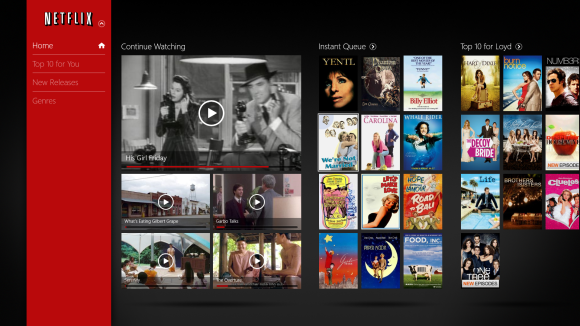
Netflix
The Netflix app for Windows 8 is free to download and easy to use, with an attractive tile-based interface that's intuitive to navigate on a touchscreen. Streaming movies through the app also seems smoother than streaming them through your browser, which is reason enough to launch Netflix right from your Start screen.
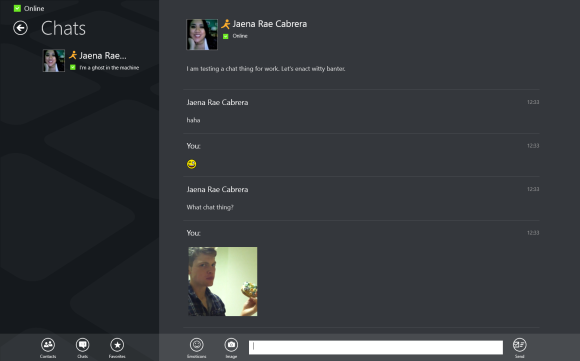
IM+
Everyone needs a good instant messaging client, and although the Windows 8 Messaging app is functional enough, as of publication it supports only the Windows Messenger and Facebook Chat services. That may change in the future, but if you want to chat with all your friends right now across disparate networks (including AIM, Facebook, GChat, ICQ, and Jabber) Shape's IM+ app has you covered. It’s free, it supports a wide variety of chat networks, and it lets you enable push notifications so that you can stay on top of your social life no matter what app you’re using.
TuneIn Radio
Over 14,000 radio stations exist in the United States, and TuneIn Radio will let you listen to almost all of them, plus a bunch more from across the world, for free. While you could always stream your favorite radio station from your browser, TuneIn does a fantastic job of presenting a huge assortment of AM/FM radio streams and podcasts in one slick app that’s simple to navigate. The sound quality is great, playback rarely stutters, and the TuneIn live tile displays information on what’s currently playing. You can choose from over 70,000 talk shows, sports broadcasts, news programs, local radio broadcasts, and podcasts.
eBay
The eBay app is beautiful, free and easy to use, but most importantly it takes advantage of the Windows 8 Start screen in ways that make it more useful to savvy shoppers than the standard eBay website. You can use the app to quickly and efficiently sort through your tracked auctions and saved eBay searches, and you can pin the Daily Deals tracker to your Start screen to stay abreast of savings opportunities at a glance.
Microsoft Minesweeper
Windows 8 is the only version of Windows in recent memory thatdoesn't come with Minesweeper preinstalled, but you can download it for free if you’re feeling nostalgic. At its core the classic guessing gameplay of Minesweeper is the same as it ever was, but Microsoft has updated the Windows 8 version with a fresh coat of paint and some new features, including an Adventure mode with traps and treasure, online leaderboards, and the ability to log in with your Xbox Live account and see when your friends are online or earn Minesweeper Achievements.
Clock
Jujuba Software's app does what it says on the tin, placing a live tile on your Start screen that shows the time. You might be wondering why you'd need an app to do such a simple thing; surprisingly, in Windows 8, Microsoft actually failed to include an option for users to see what time it is without pulling up the Charms bar to display the system clock. The Clock app is a free, simple alternative for anyone who wants the convenience of being able to check the time at a glance without pulling up a menu, and you can also use it to set a timer, run a stopwatch, or set alarms for yourself.
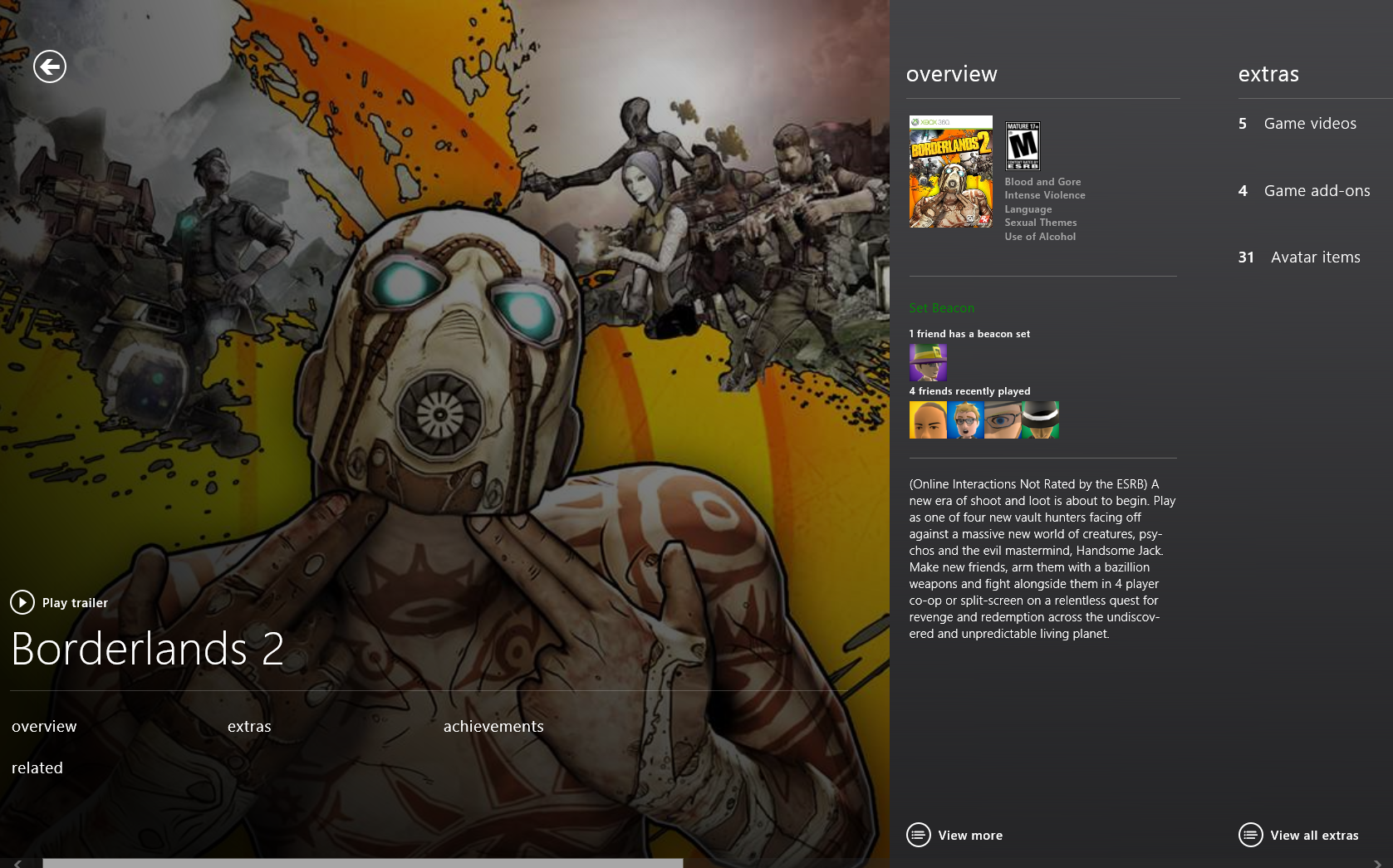
SmartGlass
Microsoft's SmartGlass functions as a second screen for your Xbox 360, keeping track of what you’re watching or playing and offering complementary information such as Achievement charts and additional video content. You can also use your PC as a remote control for your Xbox 360, launching videos or games on your HDTV from within SmartGlass. In addition, the app allows you to track real-time stats while watching sports, queue up songs in a dance game, or check your in-game GPS while racing against your friends in a motocross title. SmartGlass has been available in the Store for some time now, but Microsoft is updating the app with a bevy of new features to accompany the Windows 8 launch.
StumbleUpon
Whether you’re an avid Stumbler or a first-time user, consider adding the StumbleUpon app to your new Start screen. StumbleUpon is a fantastic way to discover new and interesting things online, and the Windows 8 app makes it even easier to stumble upon your next favorite video or article by updating the live tile with websites tailored to match your tastes. Installing the Windows 8 StumbleUpon app will also allow you to share websites, audio, and video with StumbleUpon via the Share Charm. It's a great tool for injecting a little serendipity into your online existence, and it's completely free to use.
HowStuffWorks
The HowStuffWorks Windows 8 app basically bundles all the excellent articles, videos and podcasts from the HowStuffWorks website into a package and plops it down on your Start screen with a live tile that updates you whenever there's something new to check out. The app itself has a few peccadilloes (the tiles look cramped together and the podcasts don't keep playing when you switch to another app) that suggest it was rushed out to hit the Windows 8 launch date, but HowStuffWorks is still a fantastic free app that deserves a permanent spot on your Start screen.
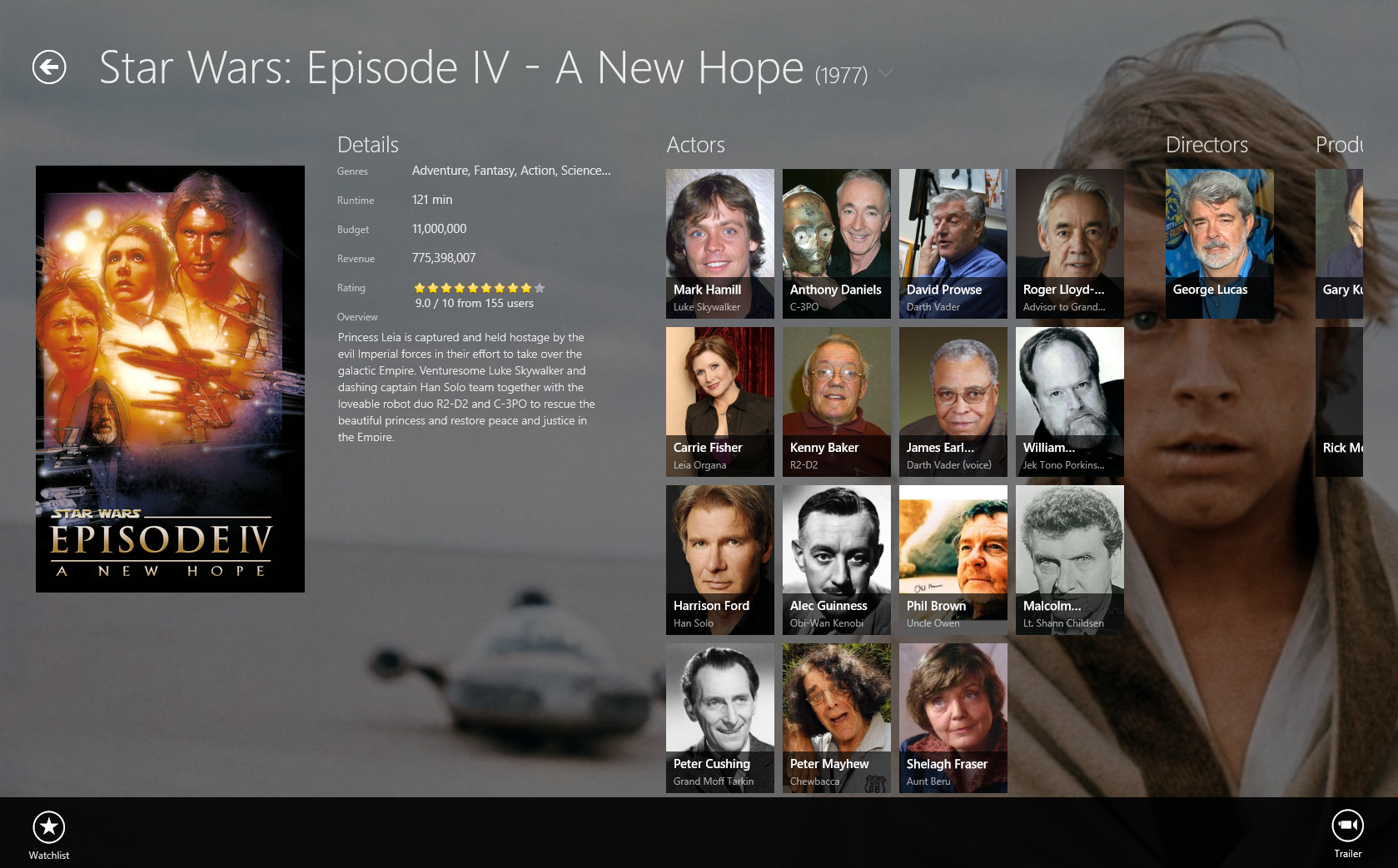
MovieGuide
Zühlke Engineering's MovieGuide app, a handy tool for movie nuts, combines the film trivia of IMDb, the variety of trailers on YouTube, and the list-making feature of Flixster into a single app. Some of the information on films and actors (especially the more obscure ones) is sourced from Wikipedia and can be a little anemic, but the beautiful design and easy discovery paths more than make up for that. Seasoned cinemagoers can probably skip this app, but it's perfect for budding film buffs.
Hey Friend I Buyed A OriGinal Gta Sa dvd And I Think That I have To Share It To All My Blog Viewer So That They Can Get The Expirence Of Playing real Gta Sa Without Bugs And Other Game Problems
About Gta Sa
[Mediafire] GTA San Andreas
Information A great part of the PC version of Grand Theft Auto: San Andreas is the possiblity to modify it: Rockstar claims to have left important game data files unlocked and in text files as opposed to hard-coding them in the game. Although Rockstar lists "player modifications support" as a feature, it's safe to assume that Rockstar will not be providing any game editors with the game, and we can expect to be able to import additional player skins, probably in the form of clothes. Player models are at the moment split into around 10 different pieces, with two of each for different fitness levels. As such, player skins as seen in GTA Vice City are unlikely, unless we are provided with a custom slot with a single static mesh skin. Bear in mind that this is simply speculation at this point, as nothing solid has been confirmed yet. Game Screen Shots
System Requirements
1GHz Intel Pentium III or AMD Athlon Processor 256MB of RAM 8x DVD-ROM Drive 3.6 GB of free space for a minimal install 64MB Video Card with DirectX 9 compatible drivers DirectX 9 compatible Stereo Sound Card Keyboard & Mouse DOWNLOAD LINK:- Gta Sa Original


 AMD's Graphics Core Next is just about the top GPU around
 The GK110 may well find its way onto a desktop near you
 Nvidia's GTX 680 represented a change in focus to perf/Watt
 AMD re-wrote its own rule book on GPU make up


 !